Recurring tasks
Every library has routines that come around regularly: yearly stocktake, quarterly DIN standards review for new editions, weekly cataloguing of newly arrived journal issues. Instead of creating these tasks manually every time, you define them once, and Librario creates the concrete tasks at the right time.
Definition vs. instance

Two distinct terms matter:
- Definition. The template. It states what needs to happen, how often, and who is assigned to it. Definitions are managed separately and do not show up on the regular task board.
- Task instance. A concrete occurrence created from a definition. Instances behave like any other task: they show on the Kanban board, have a state, a due date, and an assignee.
Creating, editing, pausing
Manage recurring definitions under Tasks → Manage recurring tasks. A new definition needs:
- Title of the resulting task (for example “Stocktake: start of quarter”)
- Frequency: weekly, monthly, quarterly, or yearly
- Day: which weekday, day of month, or day of quarter the task should spawn on
- Assignee: must be an administrator or librarian
- Due in days: how many days after spawn the task is due
Definitions can be paused at any time. No new instances are created while paused, but existing instances stay on the board.
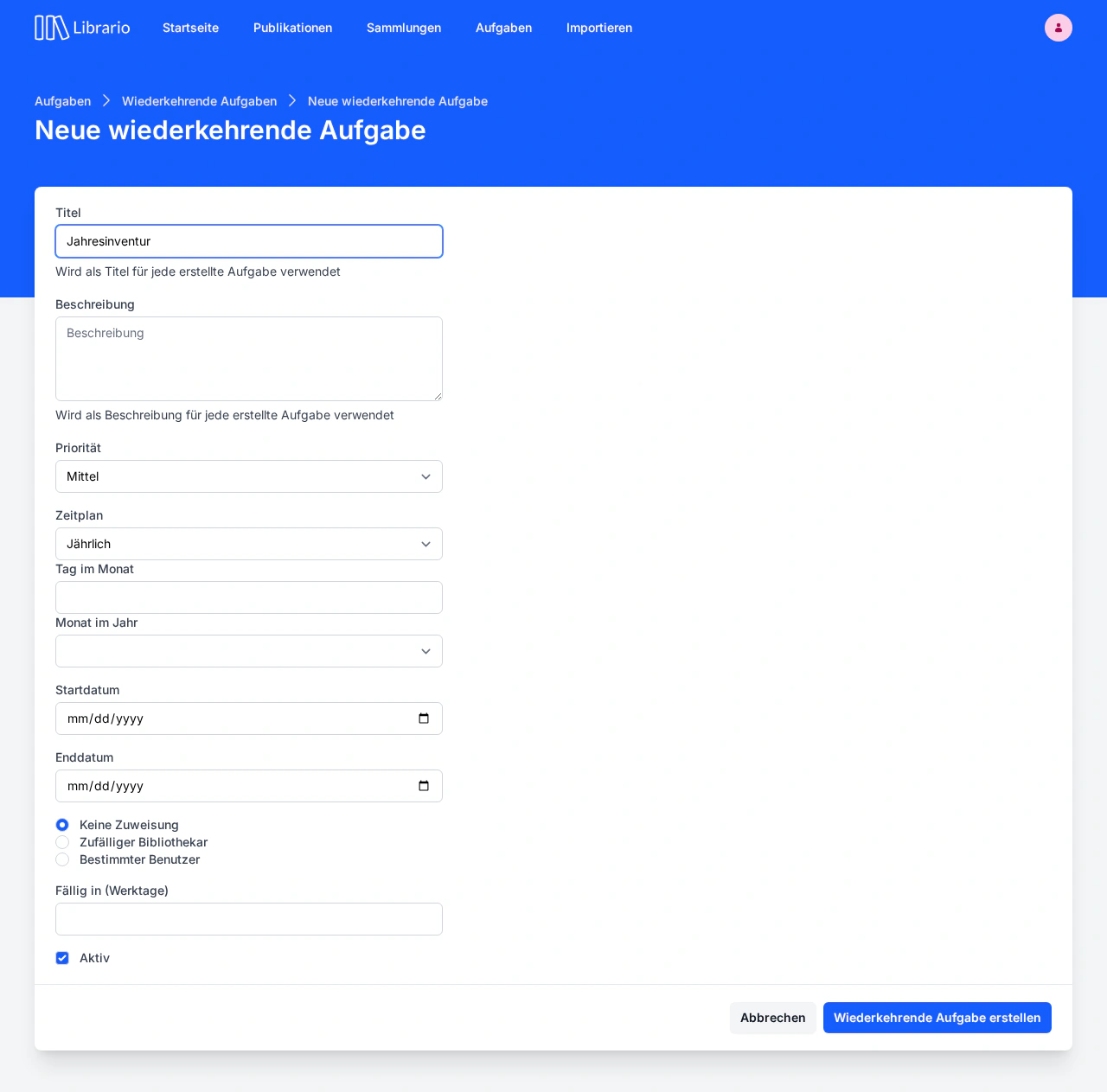
Screenshot of the German interface.
Four examples
1. Quarterly DIN standards review. Frequency “Quarterly”, day “1st day of quarter”, due in 14 days. Spawns a task “Check DIN standards for new editions” on January 1, April 1, July 1, and October 1, due within two weeks.
2. Yearly stocktake. Frequency “Yearly”, day “1 February”, due in 30 days. Delivers the stocktake task right after the fiscal year end, with enough buffer to execute.
3. Cataloguing new issues of “Der Bauingenieur” (weekly). Frequency “Weekly”, day “Monday”, due in 3 days. Reminds the librarian every Monday to catalogue, scan, and link the issues that arrived during the past week to the journal’s master record.
4. Renew the SSO client secret in time (yearly). Frequency “Yearly”, day “1 October”, due in 30 days. Reminds you once a year to regenerate the expiring client secret for single sign-on in Microsoft Entra ID and enter it in Librario before sign-in stops working.
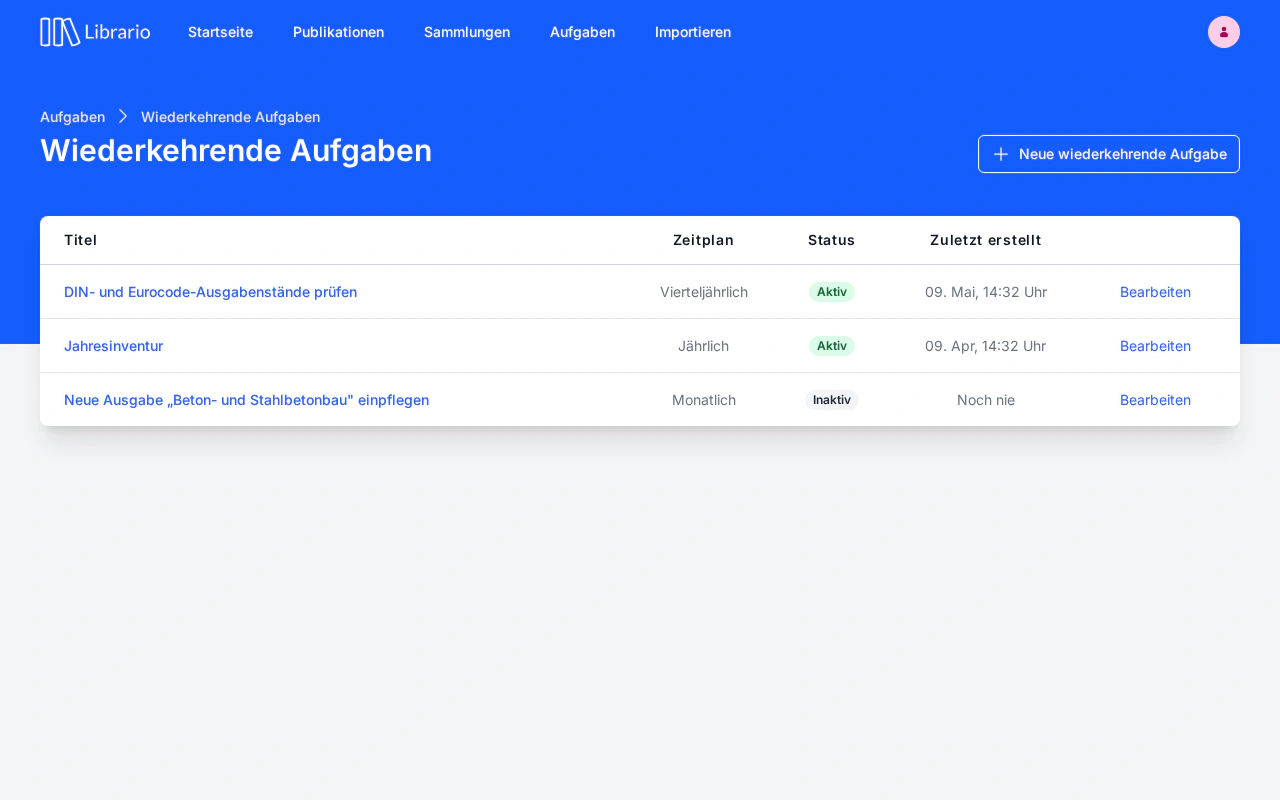
Screenshot of the German interface.
What happens on spawn?
When the time arrives, Librario creates a concrete task instance from the definition, with copied description, priority, and computed due date. The instance lands in the Open column and goes to the assignee set on the definition.
What if the assignee is no longer an administrator or librarian?
If the assignee stored on a definition loses their administrator or librarian role (for example because they left the company or moved off library duty), they can no longer be assigned. Librario still creates the task, just without an assignee. It appears in the Open column without burdening someone whose role no longer fits. Fix the definition when you notice the gap: if the original assignee regains the role, future tasks are assigned to them again automatically.