Put an end to the shadow library on your network drives
Manage books and PDFs centrally in the browser, with automated cataloguing, built-in task management and a search that reads the content of every document. No more scattered Excel lists and network drives.

Features
From the physical shelf to the search bar
01 · CATALOGUING
Catalogued in seconds
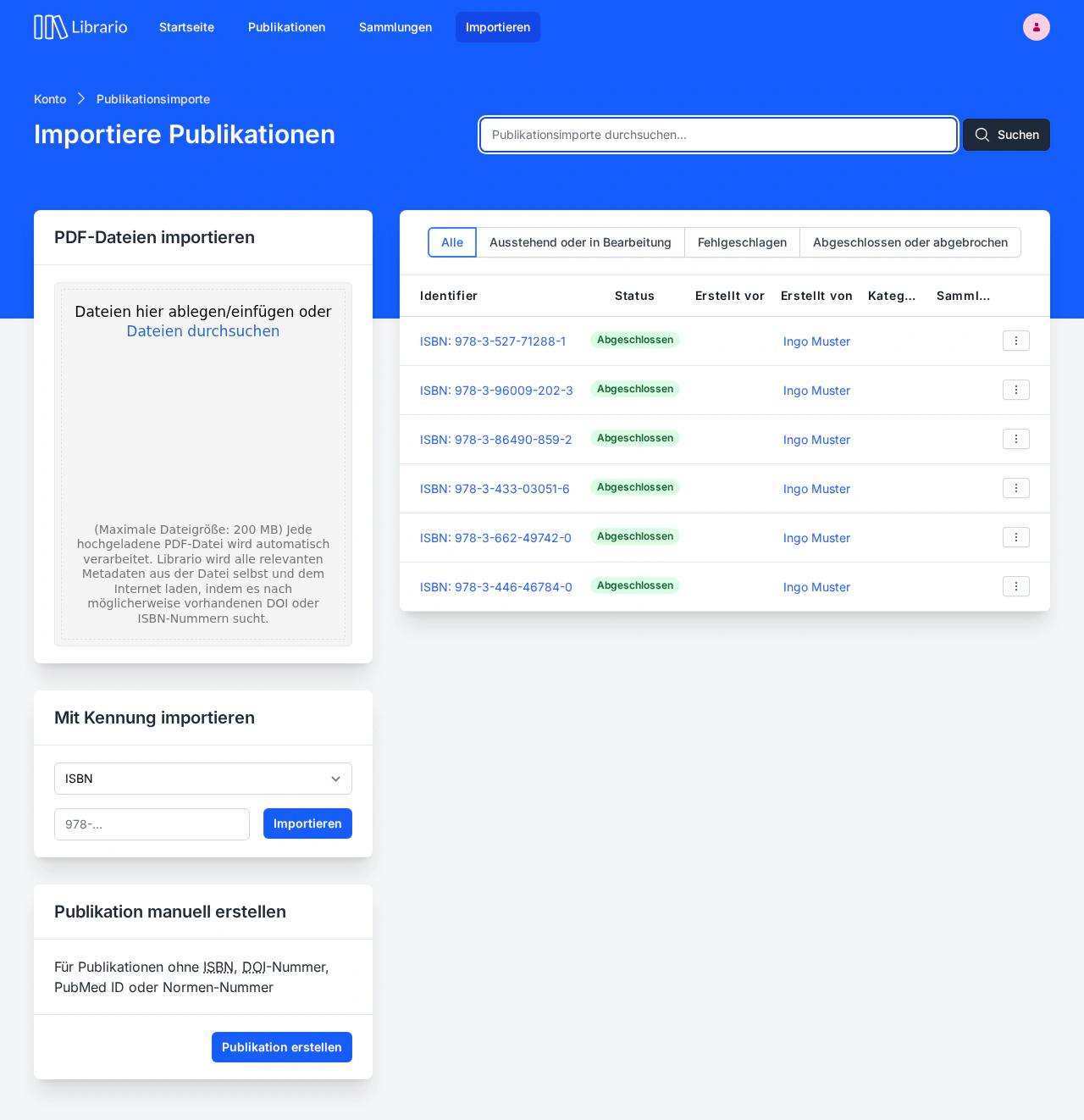
Drag a PDF into the browser or enter an ISBN, DOI or standard number. Librario reads the title, authors and metadata from the document, fills in missing details from online databases and adds the full text to the search index straight away.
Less than 30 seconds pass from upload to finished record. Compared to manual entry, that saves up to 75 % of the cataloguing time.
02 · SEARCH
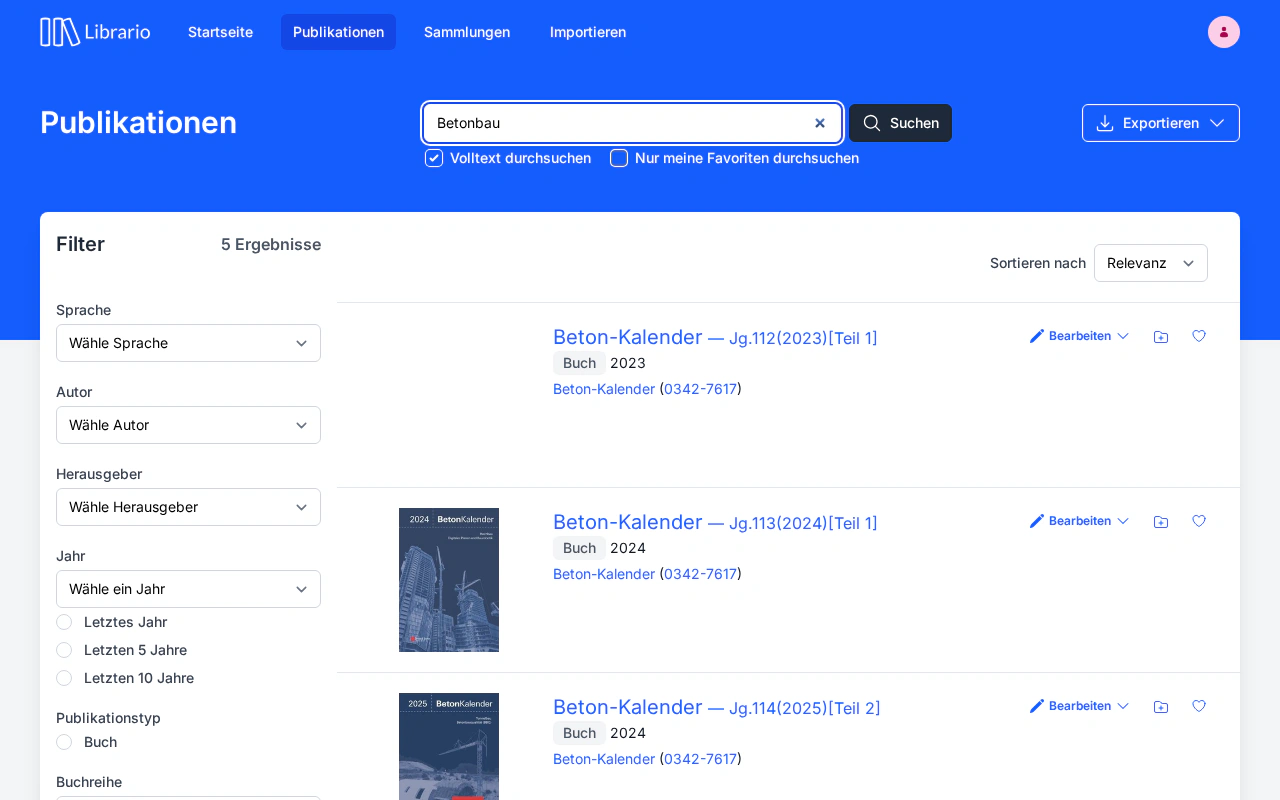
Full-text search that understands German
03 · TASKS
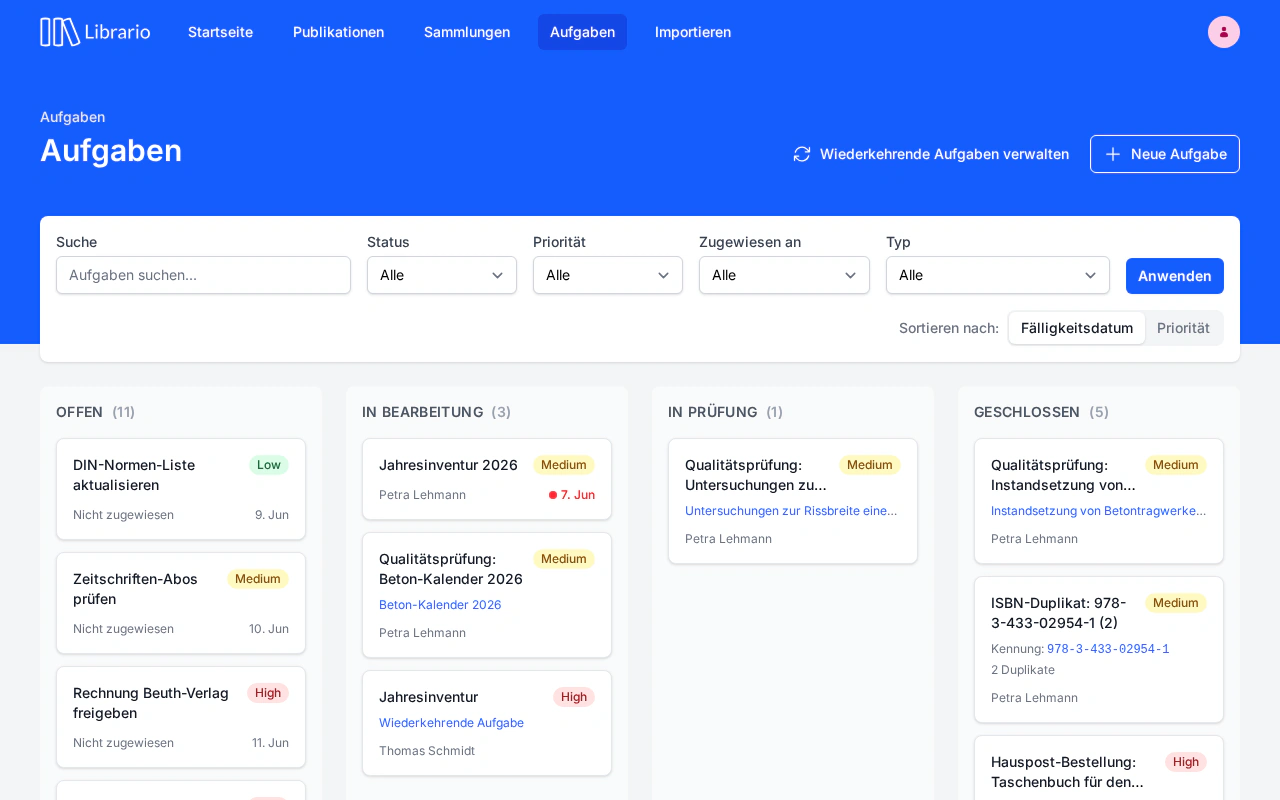
Manage tasks centrally
04 · USABILITY
No training required
05 · COLLECTIONS
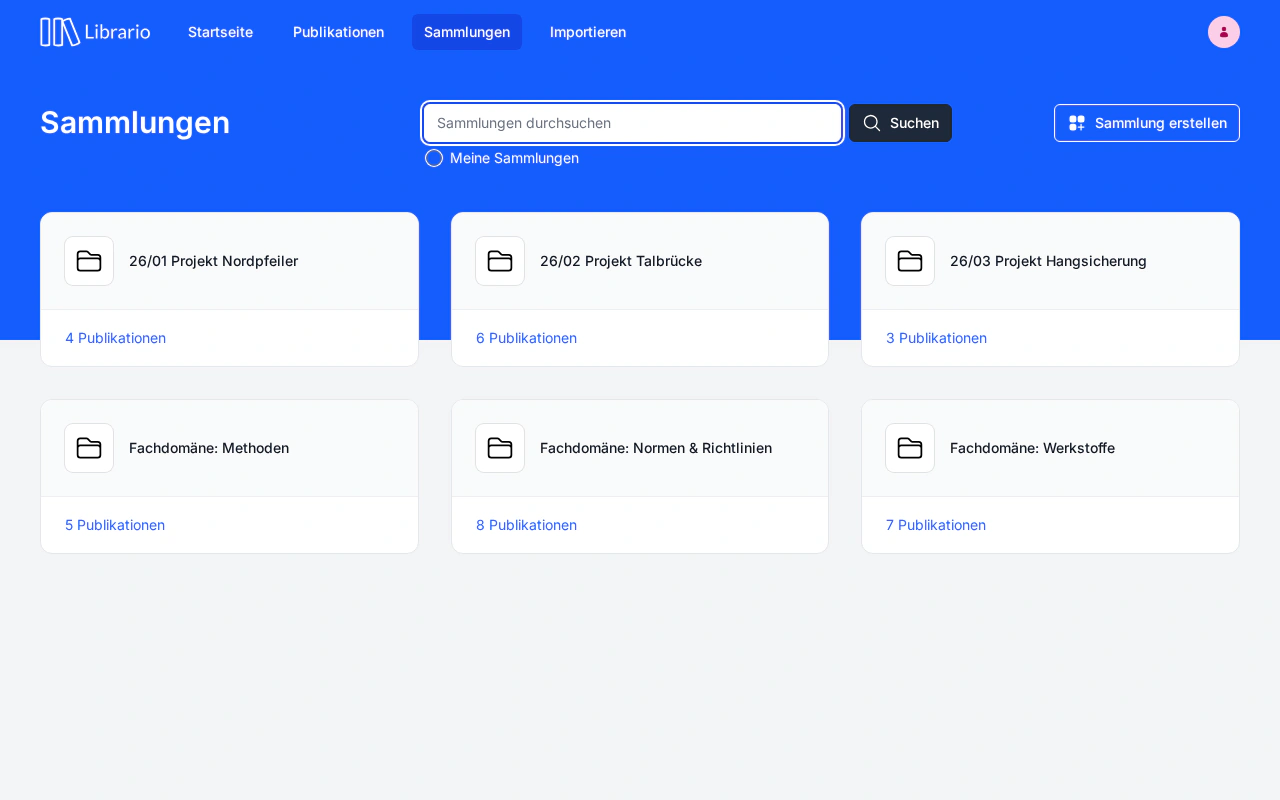
Share knowledge across the team
06 · AI INTEGRATION
AI research in your own holdings
Use cases
Built for lean teams with large specialist holdings
No bloated university system, no makeshift solution: Librario is built for everyday practice in companies.
Corporate libraries
For one-person libraries that want to automate metadata capture and clear their cataloguing backlog.
Engineering firms
For structural and environmental engineers who need to find standards and historical holdings in seconds, in full text. The library runs alongside the day-to-day business.
Research & development
For research and development teams that share specialist literature centrally and document it reliably for audits or publications.
Getting started
Up and running in days, not months
Focus on the content, we take care of the technology.
-
Secure and ready to connectData in EU data centres, single sign-on via Microsoft Entra ID and automatic backups. With the Trust Center and the prepared data processing agreement (DPA), your library passes your IT department's review on day one.


-
Available from anywhereNo local installation, no mandatory VPN, no dedicated research workstation in the library: every browser is a research workstation. The interface without an entry barrier makes home office and construction site equal places to work.
-
Migrated in five working daysWe typically turn Excel lists, file servers and legacy systems into a searchable library within five working days. The research time saved pays the migration back several times over: run your own numbers in the ROI calculator.
- Continuous development and continuous operation of the software
- Since 2013
- Operation and daily encrypted backups in European data centres
- EU hosting
- The data processing agreement is ready for your procurement in the Trust Center
- GDPR
- This website works without a cookie banner: no tracking cookies, no third-party scripts
- No tracking
Ready to make your expertise findable?
Start free. No credit card. No contract lock-in.