Skip to content
Collections

Knowledge stays with the team, not in one person’s inbox

Collections in Librario group literature by topic and open it up to the whole team: specialist teams, project literature, onboarding packs. Everyone in your organisation can view them, clear roles govern changes, and every collection exports straight to BibTeX, EndNote and CSV.

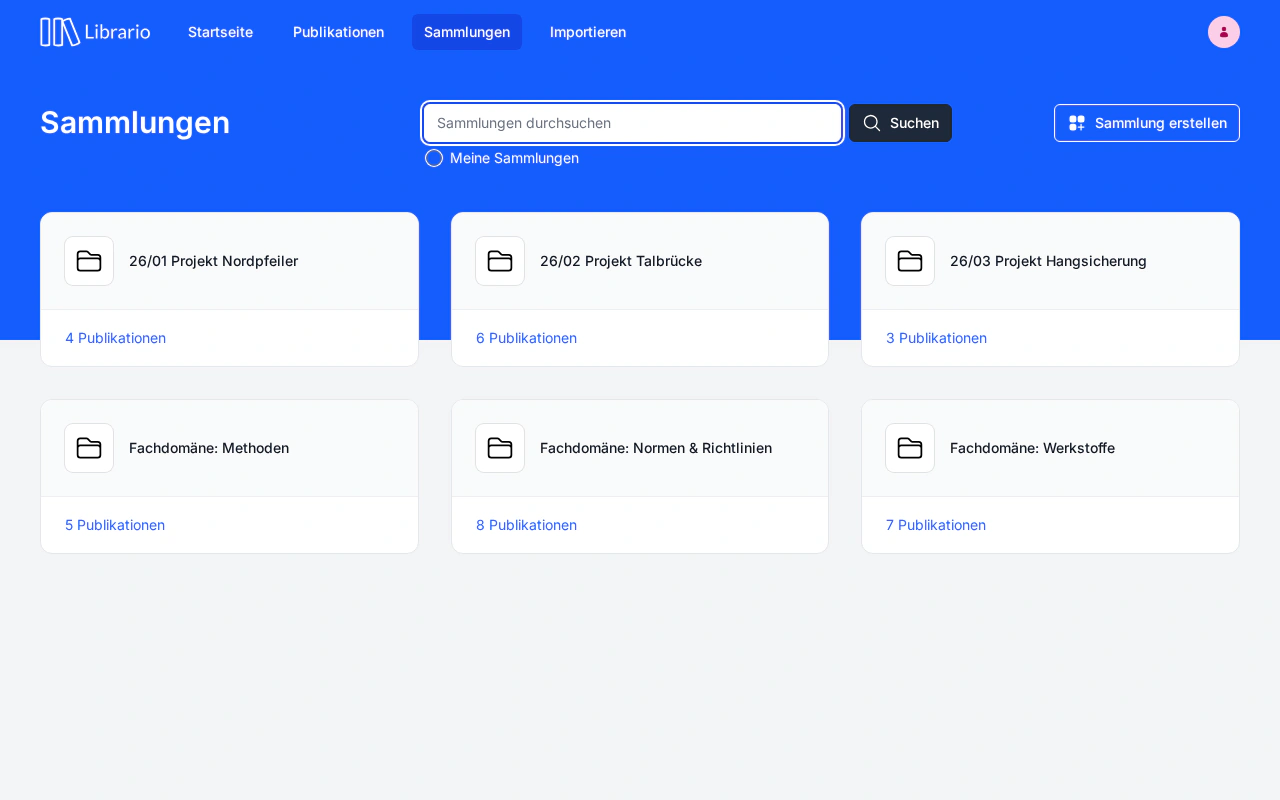
Librario collections overview with subject-area collections such as Massivbau (concrete construction), Brückenbau (bridge engineering) and Holzbau (timber construction), each with a description, publication count and owners
Screenshot of the German interface.

Everyday reality

Knowledge is scattered: nobody finds what is already there

The literature exists. Somewhere. In a postdoc’s personal Zotero library, on the project lead’s drive, in an email thread from two years ago. What one person treats as the key work in the field, the next has to research from scratch, even even though the organisation has had it all along.

The pattern shows up in engineering firms just as it does in research groups: knowledge gathers around individual people. When they change jobs or projects, much of what they know about the literature leaves with them. The next team starts again.

The problem is not a lack of willingness to share, but a lack of the right tool for it. Personal favourites help individuals; working together as a team needs something else.

How Collections work in Librario

visible: every collection can be found by everyone in your organisation. People who search find it without needing to know it exists
100%
govern changes: editors add publications and maintain the description, owners manage permissions; administrators and librarians can edit any collection. Everyone can view and export
Two roles
for exporting any collection: BibTeX for LaTeX-based reports, EndNote for Word workflows, CSV for spreadsheets and analysis
Three formats

What it costs

Without structured collections, knowledge becomes a staffing risk

Doctoral researchers leave a research group after three to four years. Project leads move to another project or another employer. Either way, the same thing is lost: knowing which sources were reviewed for an ongoing topic and which standards formed the basis.

Then there is compliance pressure: teams that work to ISO 13485 or prepare regulatory approvals must be able to show, years later, which literature a decision rested on. If that literature is scattered across drives and inboxes, the evidence turns into a reconstruction.

And even where no regulation applies, there is a hidden cost driver: duplicate research, publications bought more than once, reading lists rebuilt for projects that were almost identical to an earlier job. These costs never show up on an invoice: they sit in the hours employees spend searching instead of working.

With Librario

Four features that take knowledge off the shelf and into the team

  • Everyone can read, only authorised people can change

    Two roles govern who changes a collection: editors add publications and update the description, owners assign roles and can delete the collection. Administrators and librarians can edit any collection. Everyone in your organisation can view and export. No accidental changes, no permission sprawl.
  • Visible to the whole organisation

    Collections are visible to everyone in your organisation, unlike personal favourites, which belong to one person only. People looking for a collection find it without having to know it exists. And whoever curates the holdings for a subject area makes that work visible to the whole organisation.
  • Export to BibTeX, EndNote and CSV

    Open a collection, click Export and choose the format: BibTeX for LaTeX-based reports, EndNote for Word workflows, CSV for spreadsheets and analysis. All the bibliographic information of the publications it holds in one step, with no manual compiling and no lock-in. That is how a collection works alongside Citavi, EndNote and BibTeX.
  • Linked to your project tools

    Every collection carries a description in Markdown: with context, contacts and links to external resources, such as a Jira project, a SharePoint folder of calculation aids or CAD templates. You add publications to a collection straight from the search results.

In detail

Three use cases, one feature

01 · SPECIALIST TEAMS

The subject area belongs to the team, not to one person

Name collections by the convention “Specialist team: [subject area]”, for example “Specialist team: Timber construction” or “Specialist team: Regulatory Affairs”. Key works, current standards and important reference works sit there, curated for everyone, while the person responsible for the subject area keeps control of what goes in. When that person leaves, the knowledge stays.

02 · PROJECT LIBRARY

Literature for the project, not for the person

Format “YYYY-MM Project name”, for example “2025-03 Approval study XR-200” or “2025-06 Office block K12 storey extension”. Editors add publications and link the Jira ticket in the description. When the project ends, the collection stays: for the next similar job you open it again instead of searching from scratch.

03 · ONBOARDING

The required reading is ready on day one

An “Onboarding: [team]” collection brings together key works, internal standards and required reading. In their first week, new employees find what their predecessors worked with for three years, without writing a single email.

Put your knowledge to work instead of leaving it on the shelf.

See in a demo how a specialist team’s collection is set up in Librario: from assigning roles to the exported reading list for your next report.